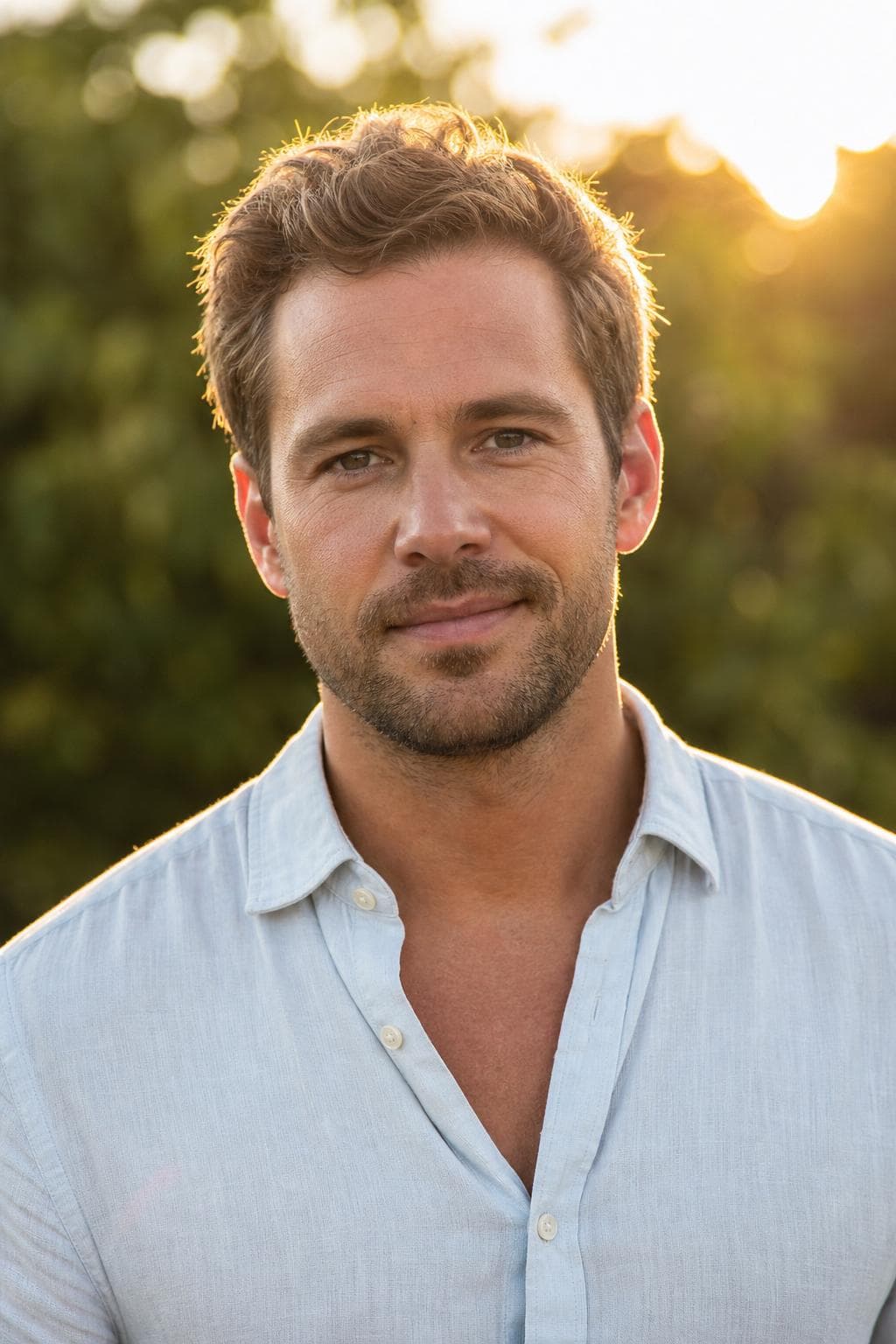
For real estate agents

The headshot that earns the first call.
On signs, cards, and listings.

In real estate your face is your brand — on yard signs, business cards, and every listing. Upload a few selfies, preview a friendly, polished headshot free, then unlock a full set you own outright for all your marketing.

Free preview · Photos deleted in 30 days · 14-day money-back guarantee

Free preview before you pay
Stripe-secured checkout
Ready in about 25 min
Photos auto-deleted in 30 days
14-day money-back guarantee

Your photo gets printed, not just posted

Most professions need one photo for one profile. Real estate needs the same face on a 3.5 × 2 inch business card, a listing flyer, a brokerage profile, and an 18 × 24 or 24 × 36 inch yard sign. Print is where a low-resolution photo stops being a small aesthetic problem and starts being a visibly soft face on the corner of a street.

The numbers, so you can check them against what your printer asks for: at 300 dpi, Premium's 1280 × 1920 file prints about 4.3 × 6.4 inches, and Starter and Pro's 1024 × 1536 prints about 3.4 × 5.1. That covers business cards and flyers with room to spare. Large-format signage is normally produced well below 300 dpi, because it's read from across the street rather than at arm's length — ask your sign printer what density they need at final size and you'll usually find the same file is fine.

Check your brokerage's spec before you print anything

Franchise brokerages tend to have a house style for agent photos: a square or 4:5 crop, shoulders-up, a plain background, sometimes a specific colour. Some marketing departments supply a branded backdrop and expect every agent to use it. Ask for the spec sheet first — reprinting cards because the crop was wrong costs more than the headshot did.

PoseLab can't reproduce a brokerage-specific branded background, and we'd rather say so than have you find out at the print shop. What it does give you is a plain-background portrait that most in-house designers can work with, in either the neutral grey or the bright off-white that house styles usually ask for.

Friendly or Corporate — and how to settle it

Residential is a trust sale to an individual household, and the approachable register generally suits it: Friendly puts you on a bright background with a real smile, which is also the most legible option on a small listing thumbnail. Commercial, luxury, and investment work skew more formal, where Corporate and Executive fit better.

You don't have to guess. Both Friendly and Corporate are in every tier, so run one on your yard signs and the other on your brokerage profile for a season and see which produces more calls. That's a real answer from your own market, which is worth more than any general claim about what converts — including ours.


Best styles for realtor headshots.

Every image below was created by PoseLab — not stock photography.

See all 18 styles at full size →

What to upload

  • Upload photos in the jacket or blazer you actually wear to showings — that's the version of you clients will meet.
  • Include a few taken outdoors in daylight. They give the warmer styles something honest to work from.
  • If your marketing already has a look — always smiling, always jacket-on — keep the uploads consistent with it.
  • Avoid heavily filtered phone photos. Smoothing filters strip the detail the result needs to stay sharp in print.

3–20 photos is the range. More variety in outfit, background, and light gives the result more to work with.

The hard part is making it still look like you.

Your selfies guide the AI, so the result keeps your real face — not a generic AI stranger. Here's our founder: a phone selfie on the left, PoseLab on the right. Same person, about 25 minutes apart.

Candid phone selfie of PoseLab's founder before generation

Phone selfie

No lighting. No retouch.

AI headshot of PoseLab's founder generated by PoseLab

PoseLab

Same face. About 25 minutes later.

Built by someone who uses it

PoseLab is run by its founder — the headshot above is his own. If it didn't work on his face, this page wouldn't exist.

A real person answers

No support maze or chatbot. Every email goes to a real inbox, usually answered within a day.

Nothing to lose

See a free preview on your own face before paying, and every paid tier is backed by a 14-day money-back guarantee.

How AI headshots work. No shoot day.

01

Upload 3–20 selfies

Front-facing, varied outfits and lighting. No sunglasses or group shots. The more variety you give us, the better the AI can work with your features. Takes about a minute from your phone.

02

We create from your references

Your selfies guide the AI so each portrait still looks like you, not a generic AI face. We create all styles at once and typically wrap in about 25 minutes.

03

Download your headshots

You'll get an email with a link to your private gallery the moment it's ready. Filter by style, mark your favorites, and grab a ZIP of the full set. Your gallery stays active for 30 days.

One-time pricing. No subscription.

  • Starter $9.99

    5 headshots across 5 styles

  • Pro $19.99

    21 headshots across 7 styles

  • Premium $35

    48 headshots across 12 styles

Pay once · Free retry guarantee · Refunds within 14 days

Also worth reading

Realtor headshots — FAQ

Can I use these on signage and business cards?+

Yes. You own the images and can use them on yard signs, business cards, flyers, listing sites, and your brokerage profile. Premium delivers print-ready resolution for large signage.

Will it print sharply on a yard sign?+

In practice yes. Large-format signage is printed at a much lower density than a business card because it's viewed from a distance — often 100 dpi or less at final size. Ask your printer what they need at the size you're ordering; Premium's 1280 × 1920 file is the one to send.

Which style works best for real estate?+

Friendly and Corporate are the safest pair: approachable but still credible. Both are in every tier, so you can put one on your signage and the other on your brokerage profile and see which gets more calls.

My brokerage requires a branded background. Does that work?+

Not directly — we create the background as part of the style and can't reproduce a specific brokerage backdrop. What we can give you is a clean neutral-grey or off-white portrait, which is what most in-house design teams ask for when they composite their own. Check your brokerage's spec sheet before ordering anything printed.

Is the free preview really free?+

Yes. One watermarked headshot per email address, no credit card required. You only pay if you like the result and decide to unlock the full gallery.

Will the headshots actually look like me?+

Yes — that's the core of how it works. Your input selfies act as identity references for the image model, so the generated faces inherit your real face, skin tone, hair, and features. The free preview lets you confirm this on your own face before paying.

How long until I get my headshots?+

Your free preview lands in about 60 seconds. After you upgrade, the full gallery is ready in about 25 minutes — emailed automatically.

What kind of photos should I upload?+

3–20 recent selfies or casual portraits. Vary your outfits, backgrounds, and lighting. Shoulders-up framing works best. Avoid sunglasses, hats, heavy filters, group shots, and photos more than a year or two old. The more variety you give us, the stronger your results.

What if I don't like the results?+

Email hello@poselab.io within 14 days. We'll first retry the style with tighter prompts at no charge. If the retry still misses the mark, we'll issue a full refund — no questions asked.

See the photo that goes on the sign.

Upload 3–20 selfies. Get one watermarked headshot back in about 60 seconds. Pay only if you love it — and we'll refund within 14 days if you change your mind.

Free preview · No subscription · 14-day money-back guarantee